DVD-Video & Blu-ray, spec-compliant
MPEG-2 + AC-3 for DVD, H.264 + AC-3 for Blu-ray. The combinations set-top players actually accept. Nothing proprietary, nothing that fails QA on a duplication run.
Studio Dome · Desktop App for macOS
A native Apple Silicon app that turns your masters into spec-compliant, player-ready DVD-Video and Blu-ray discs, with chapters, subtitles, multiple audio tracks, and ISO export.
Built for studios, festivals, and distributors shipping physical media in 2026.
Why it's different
Most modern DVD tools stopped shipping when Apple killed iDVD. Studio Dome DVD Maker picks up where the pros left off, with a pipeline tuned for real deliverables.
MPEG-2 + AC-3 for DVD, H.264 + AC-3 for Blu-ray. The combinations set-top players actually accept. Nothing proprietary, nothing that fails QA on a duplication run.
Scene-detected chapter points, forced subtitle tracks, and multi-language audio, all configured in a panel, not in a .xml file you shouldn't have to know exists.
Burn straight to a DVD/BD-R from the app, or export a standards-compliant ISO you can hand off to a duplicator, archive, or smoke-test in VLC.
Compiled for arm64, not rosetta-emulated. Encodes run 2-3× faster than x86 builds on the same hardware. A 90-minute feature finishes while you're still reading the release notes.
Developer ID signed, Apple-notarised, and auto-updates in place. Install once and the next release lands as a menu-bar notification.
Persistent projects, reusable audio presets, input-quality warnings before you burn a bad disc. The small-but-crucial details that make the difference between a pro output and a coaster.
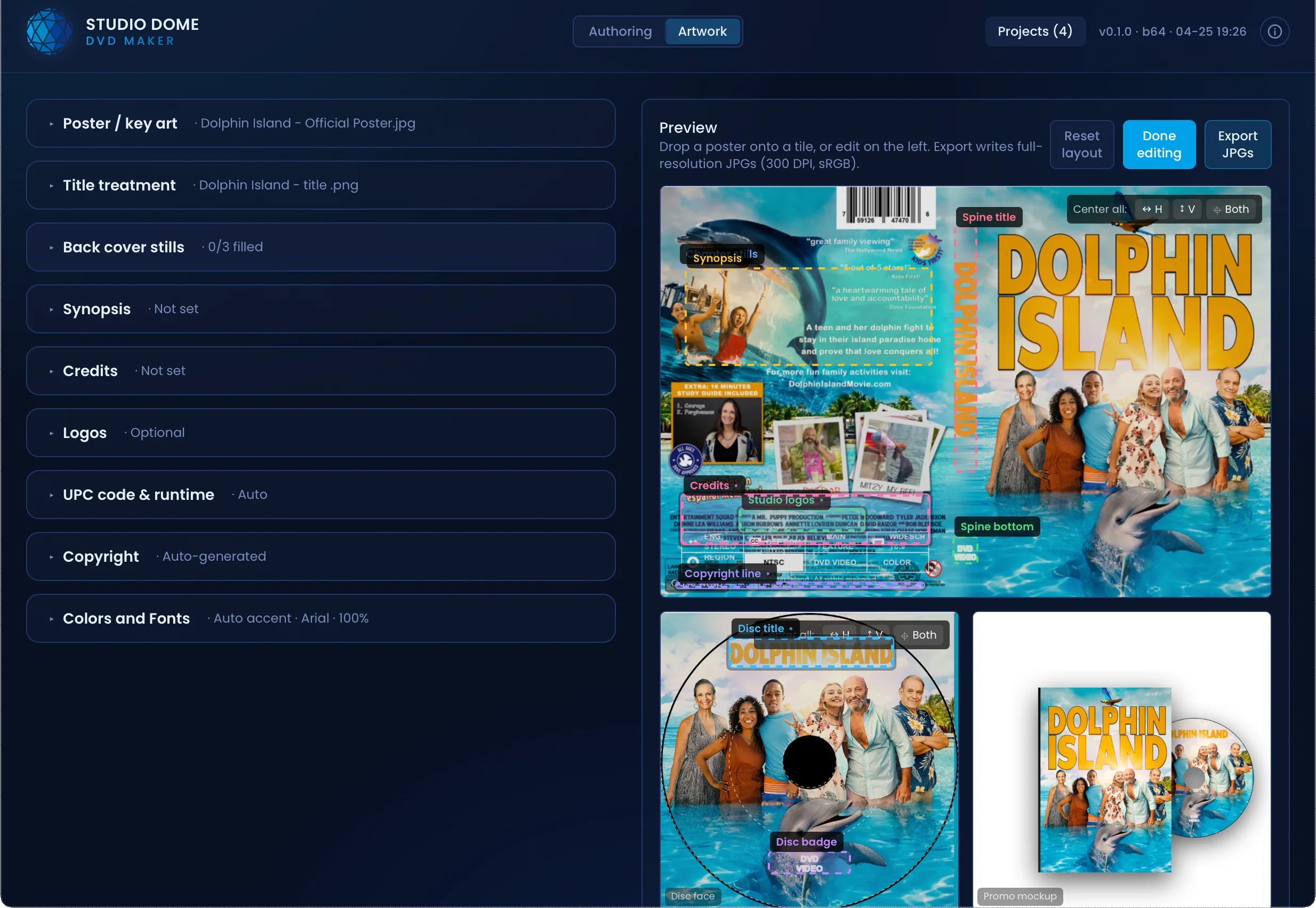
Generate retail-grade case wrap (back, spine, front), disc face, and promo product-shot mockups straight from the project. Pan and zoom your poster, pick fonts and accent colors, drop in chapter stills. The renderer outputs JPGs ready for the printer or your storefront.
See it in action
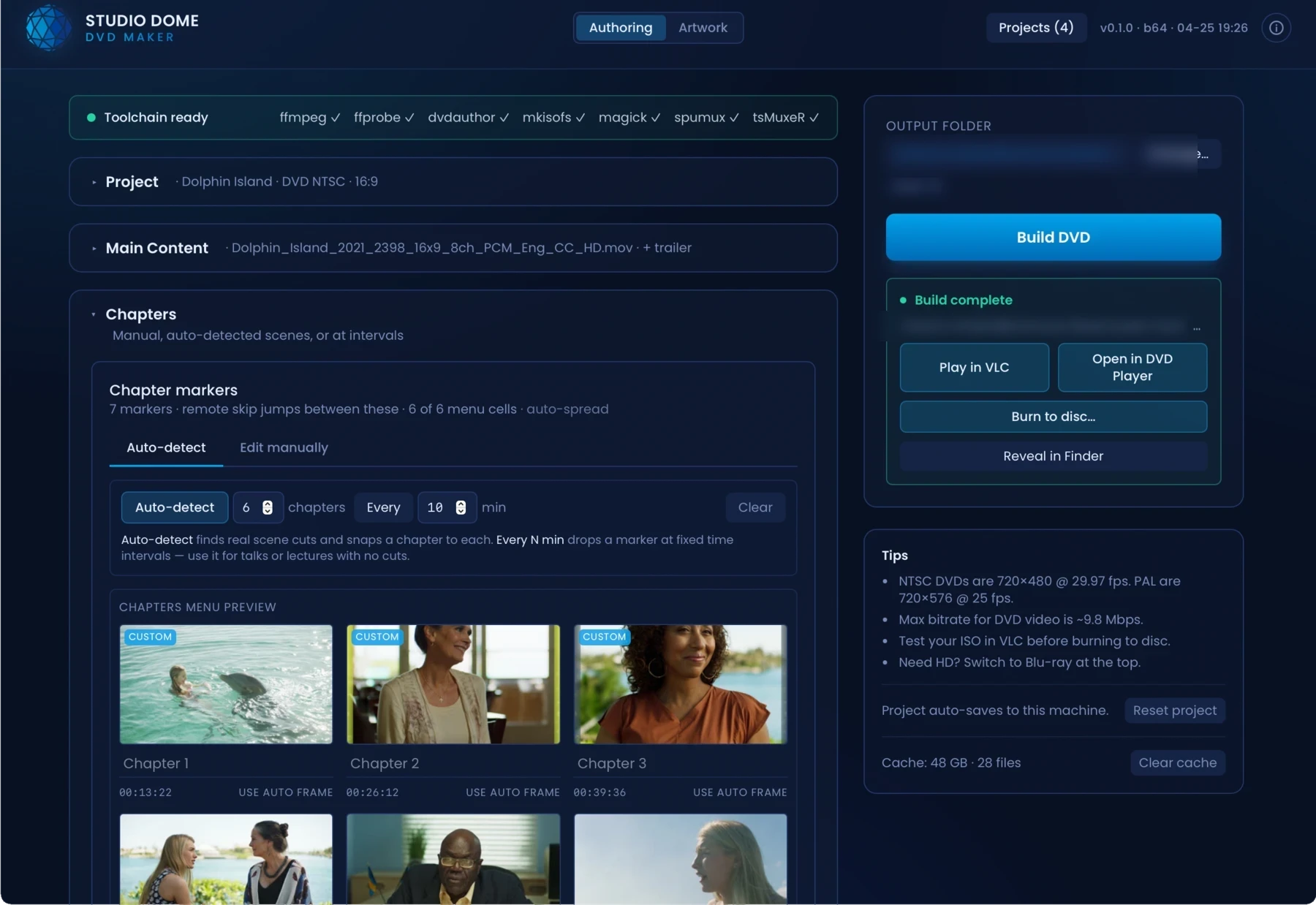
Drop your master in and let the scene detector propose chapter points. Nudge the timecodes, rename on the fly, and preview each entry. No XML, no re-encoding just to move a marker.
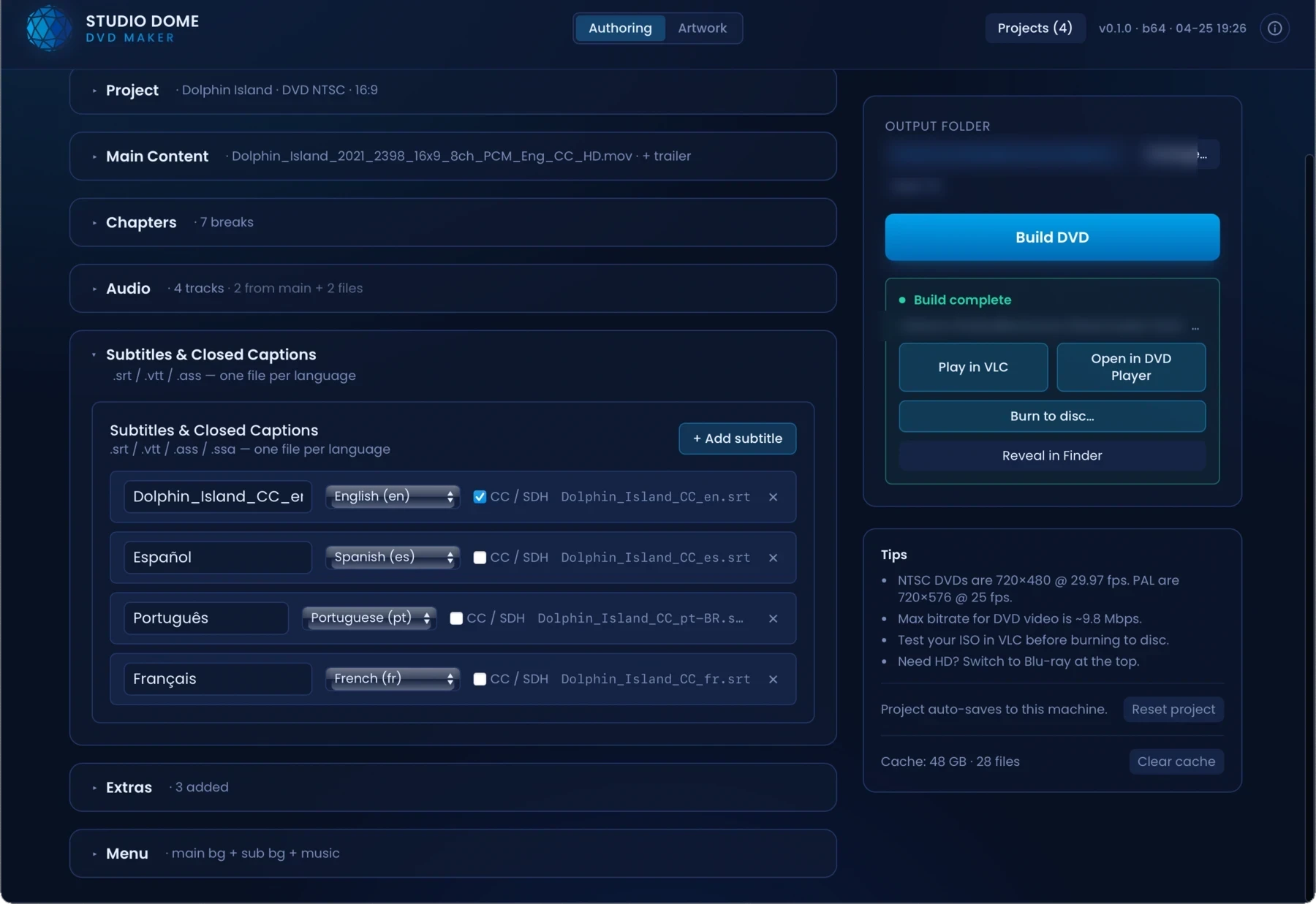
Attach SRT/VTT/SUB files, mark forced tracks for burned-in translation, and ship multiple audio streams side-by-side: director's commentary, dubs, or description tracks for accessibility deliverables.
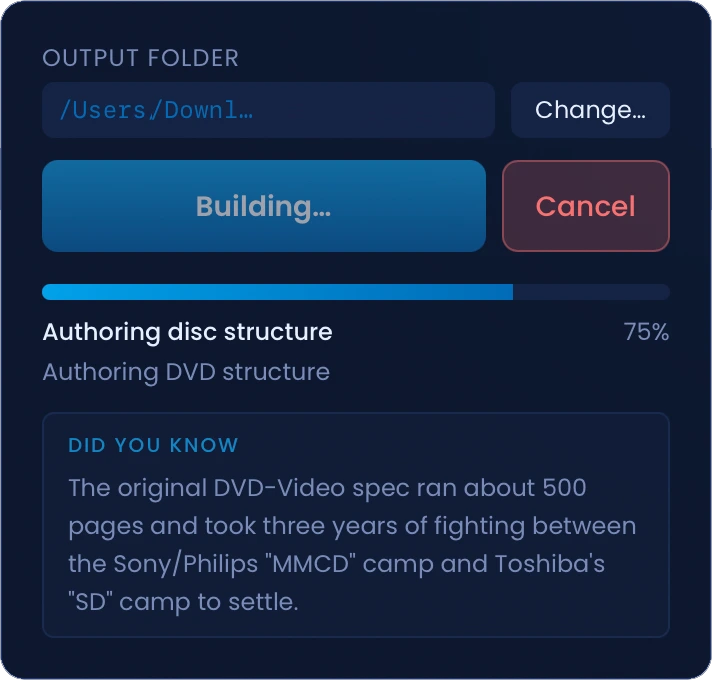
Watch progress by stage (transcode, mux, author, burn) with accurate ETAs, instead of the indeterminate "please wait" most authoring tools still ship in 2026.
Pricing
Authoring one disc for a wedding or a memorial? Twenty-nine dollars. Running regular production? An annual plan covers up to 100 discs a year. Nothing in between forces you onto a subscription you don't need.
$ 29.99 one-off
One DVD project, yours to perfect.
$ 49.99 one-off
When one disc needs to be Blu-ray.
$ 199.99 per year
For videographers and memorial services.
$ 299.99 per year
For post houses and duplicators.
Annual plans auto-renew. Cancel in-app any time before the next billing date. Need more than 100 discs a year, a site license, or procurement paperwork? Talk to us about Enterprise pricing.
By purchasing you accept the End-User License Agreement, Refund Policy, and Privacy Policy.
FAQ
Not yet. We ship Apple Silicon (M1/M2/M3/M4) builds today because Intel encoding is noticeably slower and we didn't want to advertise a compromised experience. An Intel build is on the backlog.
Only if you want to burn physical discs. ISO export works without any burner attached. Hand the ISO to a duplicator, archive it, or test in VLC.
Yes. We author standards-compliant MPEG-2 / AC-3 DVDs and H.264 / AC-3 Blu-rays. The combinations set-top players actually accept, not the proprietary wrappers iDVD and Toast used to ship.
Only when it has to be. If your master already matches disc specs, we remux; if it doesn't, we transcode once with settings picked for the target disc size. Either way, you see the decision before the burn.
We don't add CSS/AACS. That's rights-holder territory and requires a licensed replication partner. Hand our ISO to them and they'll apply the protection during the replication run.
Both. Apple Developer ID signature + Apple notarisation. Gatekeeper accepts it on first launch with no right-click workarounds, and the auto-updater verifies each new release against a signing key baked into the app.
The app is signed with an Apple Developer ID certificate and notarised by Apple. Gatekeeper accepts it on first launch with no workarounds.
Try free with a watermark, or pick a license and burn clean discs within five minutes of checkout.